Sharp tools for the people who build websites.
Apex is a family of small, focused tools for web agencies and the clients they work with. Each one fixes a job we got tired of doing the hard way.
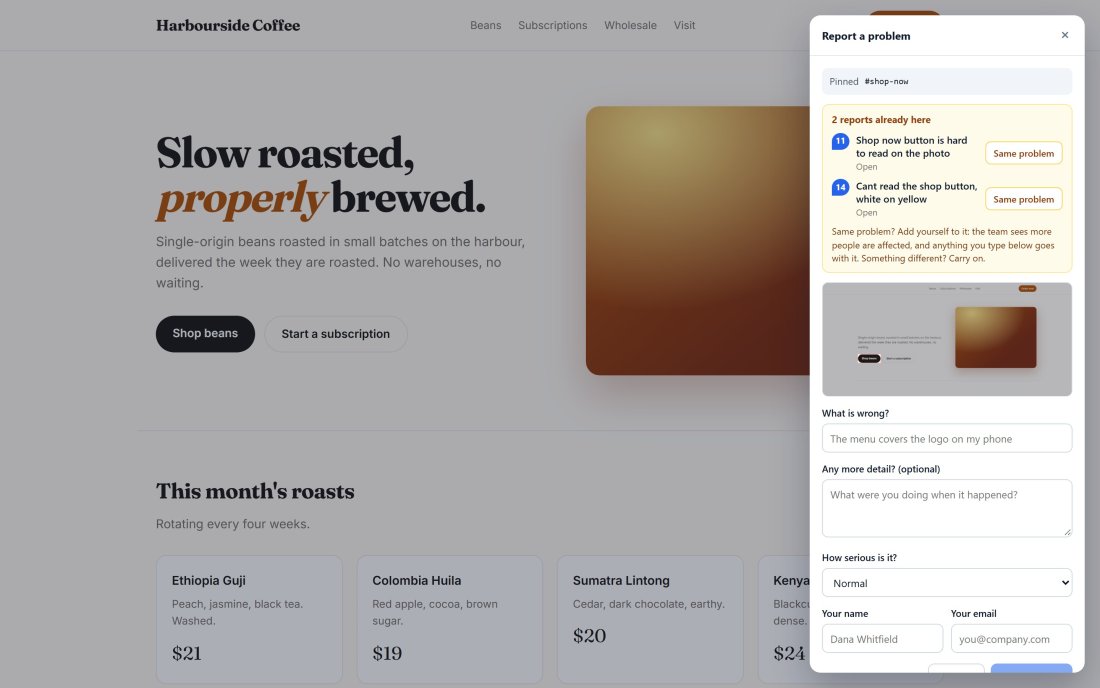
Website feedback that arrives ready to fix.
Clients click the problem right on the page. Apex Proof captures the screenshot, the exact element, their browser and the console errors behind it, and asks “is this the same problem?” before anyone files a duplicate.
- Unlimited client reviewers, no accounts needed
- Pins show what is already reported, where it is
- Console errors and failed requests with every report
- Stays on after launch, visible only to people with your link
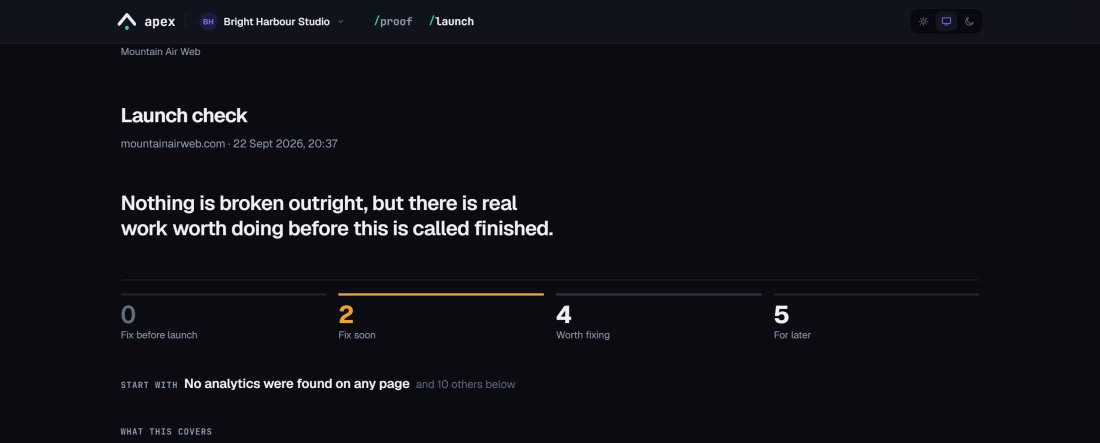
Catch what the redesign broke before the client does.
Point Apex Launch at a site on launch day, after an update, or on a regular check-up. It finds the staging noindex still blocking search, the old URLs that stopped redirecting and the analytics missing from one template, and every finding comes with the steps to fix it.
- A report your client can act on, not a linter dump
- WordPress checks for the settings nobody chose
- In the same account as Apex Proof
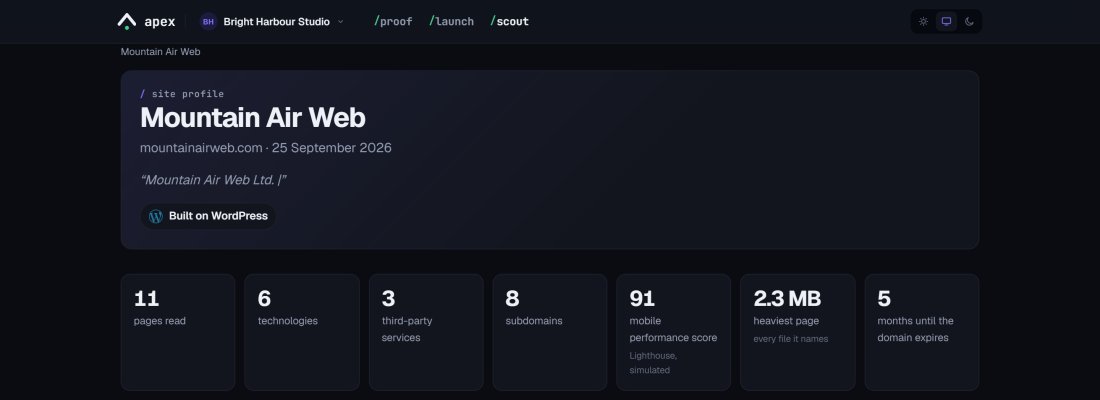
Know the site before you quote the job.
Put in a prospect’s website. Apex Scout reports what it is built on, the services bolted to it, its heaviest pages, who holds the domain and the subdomains nobody mentioned, with your agency’s name on the report.
- The stack and third-party services, with logos
- Page weight charted, and speed from Google
- The domain, DNS, email and forgotten subdomains
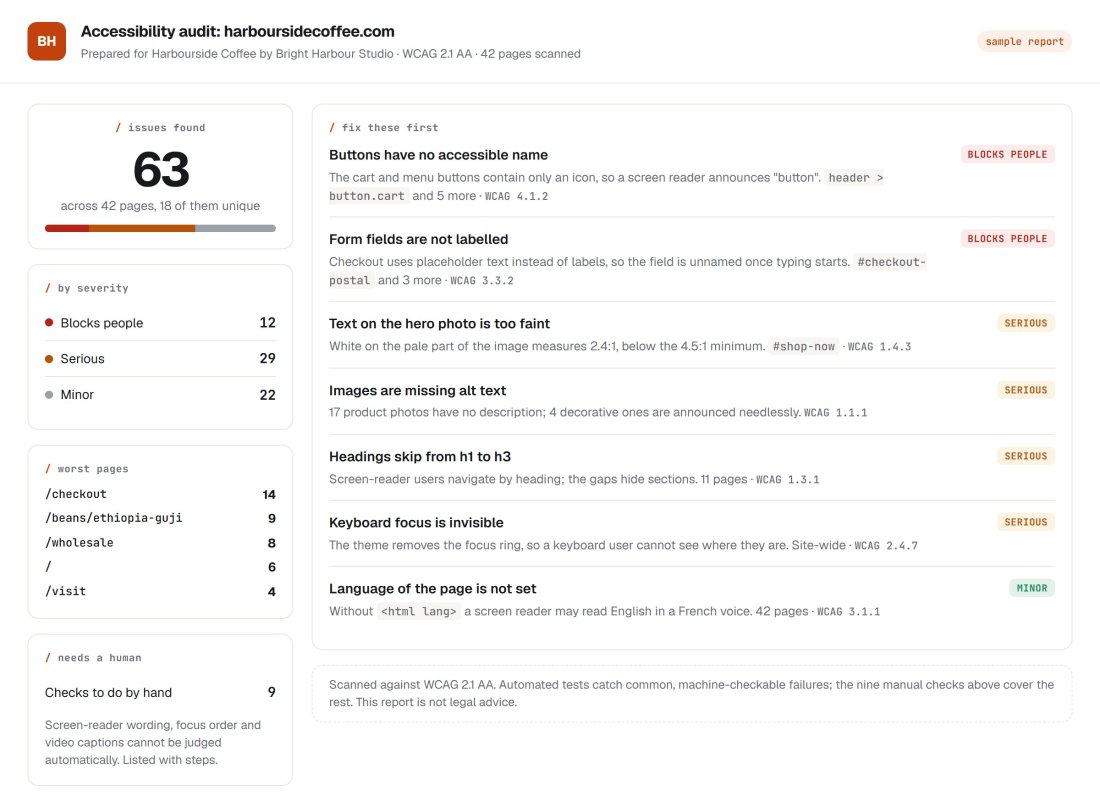
Turn accessibility into work you can sell.
Scan a client site against WCAG 2.1 AA, see what shuts people out and where, and hand the client a report that doubles as the quote for the fix.
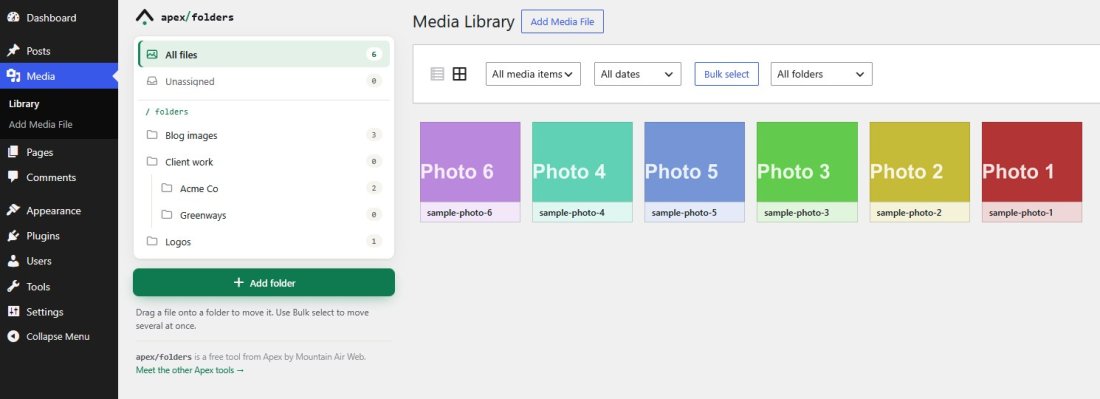
Media Library folders for WordPress. Free, forever.
Folders and subfolders beside the Media Library, drag and drop, bulk moves, upload into a folder, and a folder filter in the editor. Every feature, no Pro version, no account. Our thank-you to the WordPress community.
Made by an agency, for agencies.
Built from real client work
Small and focused
Made in Canada
Be one of the first agencies on Apex.
Founding members get every Apex tool for $30/mo, locked in for as long as they keep their account.