Folders for the WordPress Media Library. All of it, free.
Drag files into folders and subfolders, upload straight into a folder, and filter by folder inside the editor. Every feature is included. There is no Pro version, and there never will be.
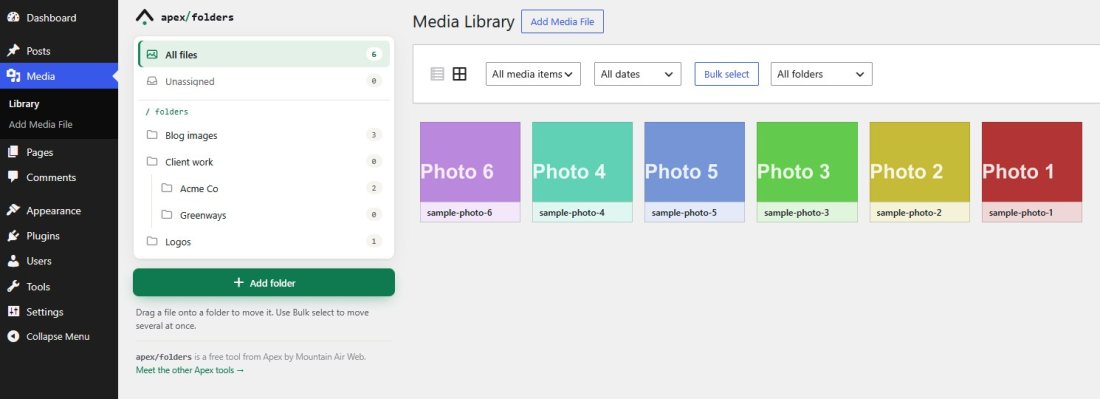
Everything the paid folder plugins charge for.
Folders and subfolders
Drag and drop
Bulk moves
Upload into a folder
Folder filter in the editor
Nothing moves on disk
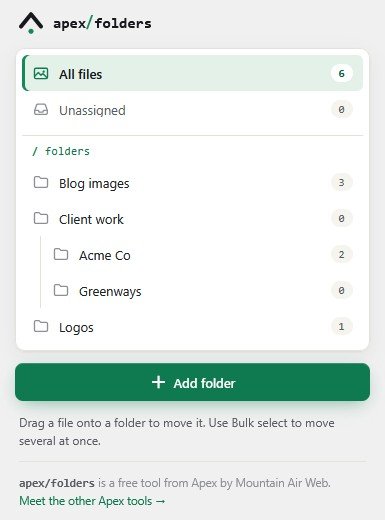
A sidebar that reads like your file system.
Folders sit beside the Media Library in both grid and list view. Each one shows how many files it holds, hover a parent folder to see the total with its subfolders, and anything without a folder waits in Unassigned so nothing gets lost.
- Folders and one level of subfolders
- Live counts, updated as you move and upload
- Rename, add a subfolder or delete from the sidebar
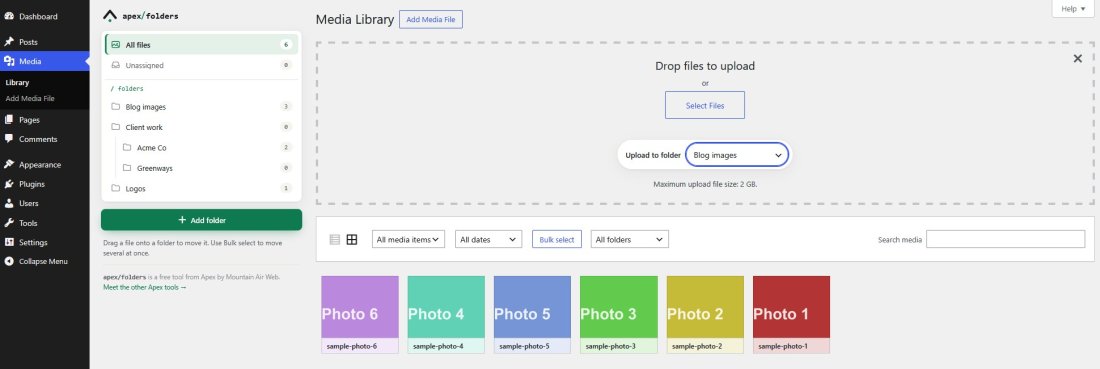
Files land in the right folder the first time.
Open a folder and upload, or choose a folder in the uploader. Every file in a multi-file upload is tagged as it arrives and appears in the folder as it finishes, so a 50-photo drop does not need sorting afterwards.
- Defaults to the folder you are viewing
- Works in the Media Library, the Add Media File screen and the editor’s upload tab
- Files appear in the folder view as they upload
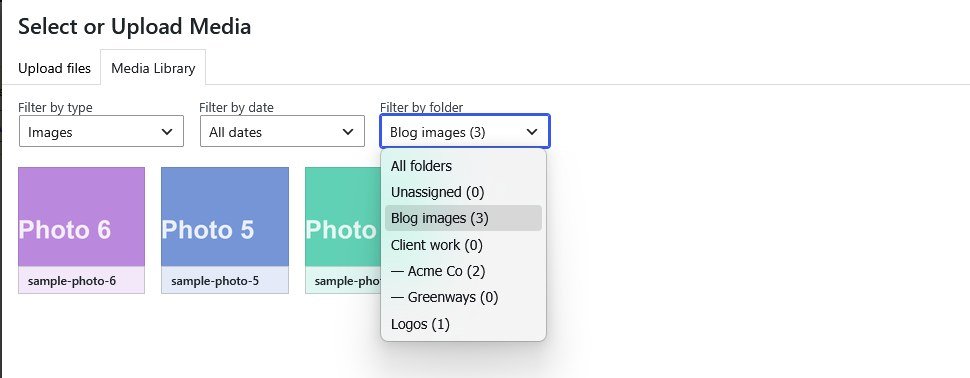
Filter by folder where you actually need it.
The media picker in the block editor gets a Filter by folder dropdown next to Filter by type and Filter by date. Pick a folder and the picker shows only those files, so adding the right image to a post takes one click instead of a scroll.
- Block editor and classic editor
- Subfolders listed under their parent
- Counts in the dropdown stay current
Because the free versions of the others are demos.
No Pro version
No account
No lock-in
Installed and sorting in a minute.
1. Install it
2. Make folders
3. Move and upload
Before you ask
Does it move or rename my files?
No. Folders are virtual. Your uploads folder and every file URL stay exactly as they are.
Is there a Pro version?
No. Every feature is in the free plugin, and it will stay that way.
How many folders can I make?
As many as you like, each with its own subfolders.
Can I move many files at once?
Yes. Click Bulk select in the Media Library, select the files, and drag any one of them onto a folder. The whole selection moves.
Does it work with the block editor?
Yes. The media picker gets a Filter by folder dropdown, and uploads from the editor can go straight into a folder.
What happens if I uninstall it?
Your files are untouched. Folder assignments are kept unless you tick “Remove all folder data when plugin is uninstalled” under Settings → Media first.
Does it work with WooCommerce, page builders or other media plugins?
It works anywhere the standard WordPress media picker is used.
Is it open source?
Yes. It is GPL-2.0, and the code is on GitHub. It needs PHP 7.2 or newer and is tested up to WordPress 7.1.
Folders for your Media Library. Free, today.
Install it from the WordPress plugin directory in under a minute. Then have a look at what else Apex can take off your plate.