Know the site before you quote the job.
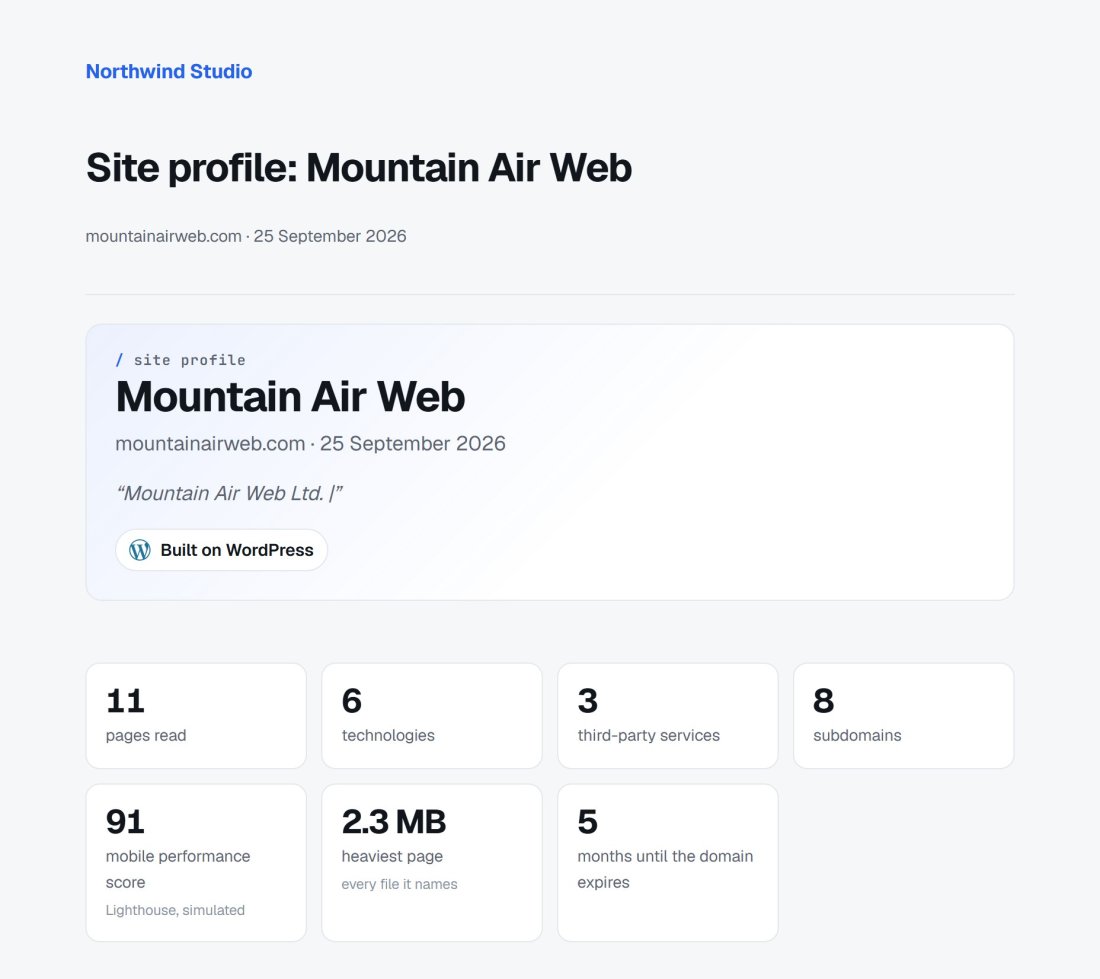
Put in a website. Apex Scout reports what it is built on, the services bolted to it, how heavy and fast its pages are, who holds the domain, and the subdomains nobody mentioned, in a report with your name on it.
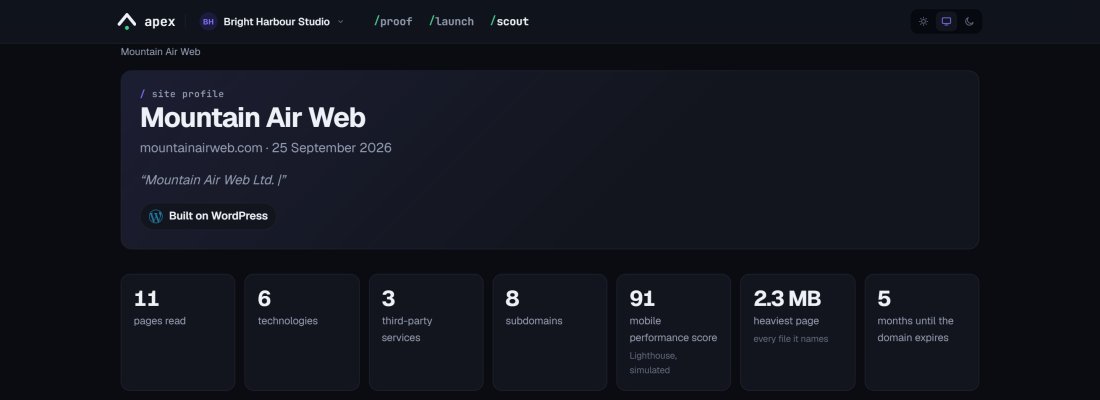
Everything you would spend the first week discovering.
What it is built on
What is bolted to it
Weight and speed
The domain, DNS and email
Forgotten subdomains
Worth raising at kickoff
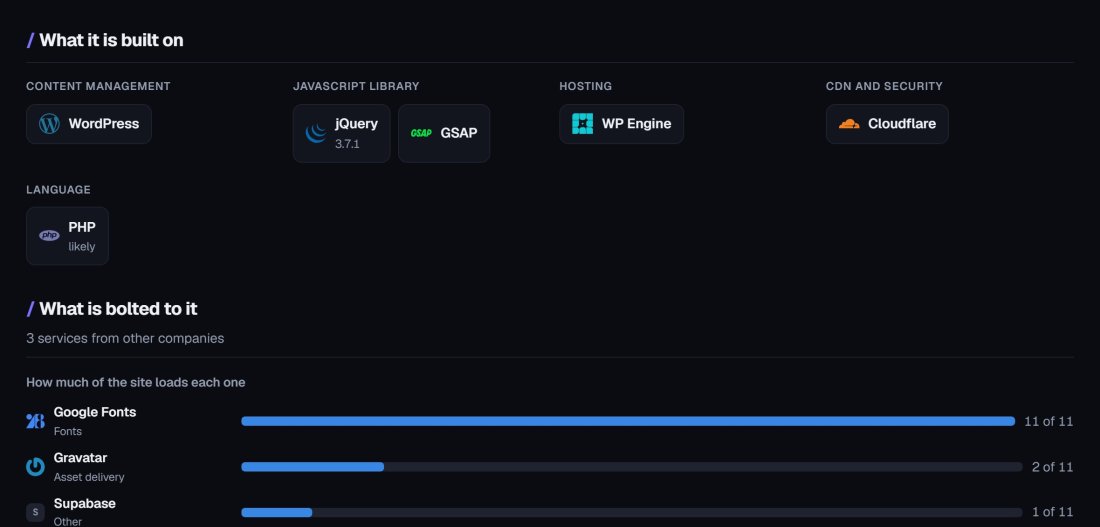
What it runs on, and what it leans on.
See the CMS, the hosting and the CDN before the first call, and every outside service the site loads. Know whether you are quoting for a WordPress rebuild or a migration off a platform nobody has touched in years.
- CMS, JavaScript libraries, hosting, CDN and language
- Third-party services, and how much of the site loads each one
- Recognisable logos, so the client knows what they are looking at
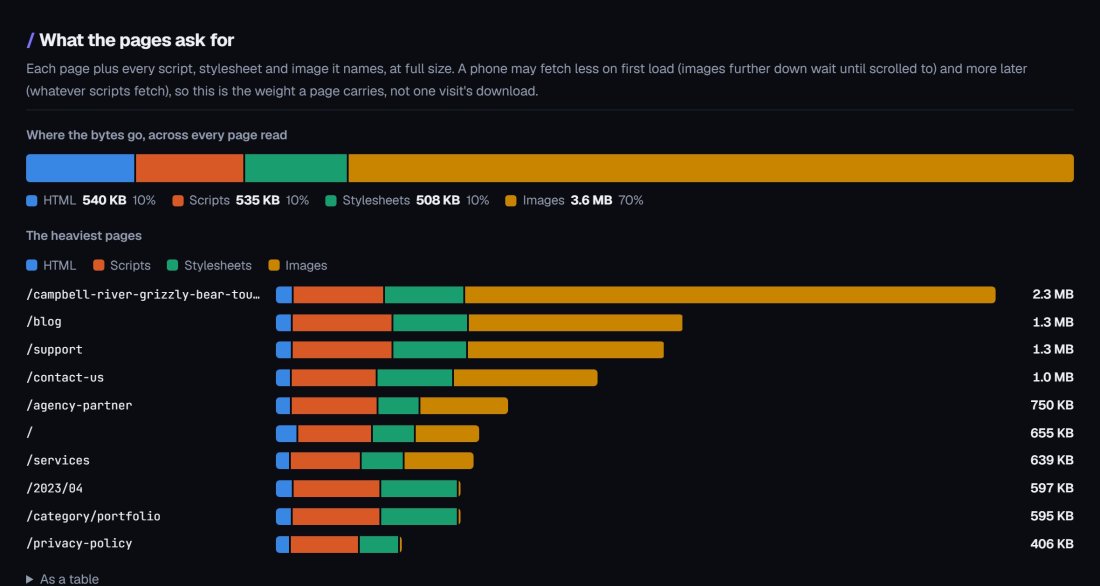
The heaviest pages, charted.
Every page Scout reads is weighed with every script, stylesheet and image it names, then charted so the problem is obvious at a glance. Speed comes from Google PageSpeed Insights: real Chrome visitors’ figures when Google has them, and a simulated mobile test when it does not.
- Where the bytes go, across every page read
- The heaviest pages, split into HTML, scripts, stylesheets and images
- The automated accessibility checks that fail, as a starting point
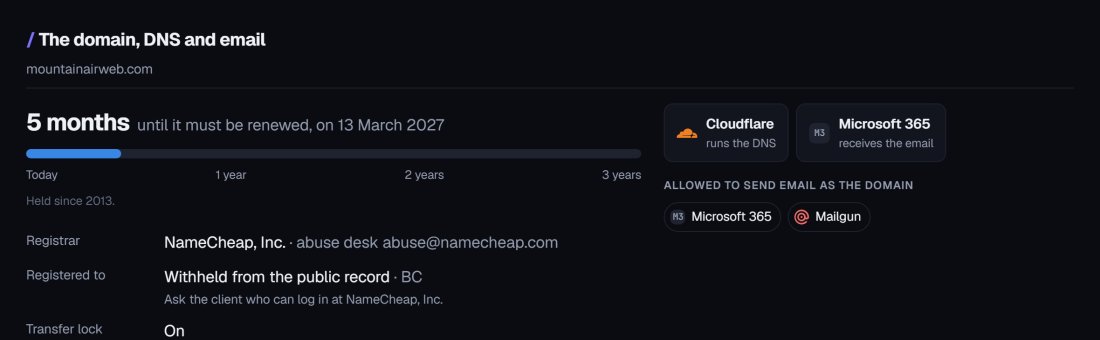
Find out who holds the keys before launch day.
A domain held by a former agency or employee is the classic launch-day stall. Scout reads the public record and the DNS, so you know who to ask before anything depends on it.
- The registrar, and when the domain must be renewed
- Who runs the DNS and who receives the email
- Who is allowed to send email as the domain
Your report, not ours.
Share the report as a link. Your client sees your agency’s name and colour, and no Apex branding. Drop it into a proposal, or open a kickoff meeting with it.
- Your agency’s name and colour
- A link the client opens without an account
- Written for clients, detailed enough for developers
See inside the WordPress sites you already look after.
Every plugin and theme
Updates waiting
The server underneath
Walk in knowing more than the last agency did.
Proposals
Kickoffs
Existing clients
Before you ask
Is scanning someone’s site intrusive?
No. Scout asks for nothing a visitor’s browser would not: the pages and the files they load, robots.txt and sitemaps, each subdomain’s home page, and public records such as certificate logs, the domain registration and DNS. It does not log in, submit forms or probe for weaknesses.
Does it work with Apex Proof and Apex Launch?
They are in the same account. Scout the site before the project, review the build with Proof, and check the launch with Launch.
Does it show a score?
No single score. Composite scores hide what matters and invite arguing about the number. The speed figure comes from Google, labelled as what it is, and everything else is counts and findings.
I saw “ApexScout” in my server logs. What is it?
Someone with an Apex account asked Scout to profile your site, and confirmed they had a reason to. It reads only what any visitor could, a few pages at a time, and follows your robots.txt rules for all crawlers. To keep it out, email nick@mountainairweb.com.
What does it cost?
Founding members pay $30/mo for every Apex tool, Scout included, locked in for as long as they keep the account. See the details.
Scout your next prospect.
We are letting agencies in a few at a time so each one gets proper attention. Tell us where you would use it and we will be in touch.
-
Founding price
$30/mo, every Apex tool -
Questions
nick@mountainairweb.com